
Cybersalt Slideshow is a photo screensaver for Windows that makes the most of wide and multiple screens. Here's everything it does.
Collage mode for ultrawide monitors
Most screensavers centre one photo and fill the rest with black. That's fine on an old 4:3 screen and wasteful on a 21:9 (3440 × 1440) or 32:9 (5120 × 1440) monitor.
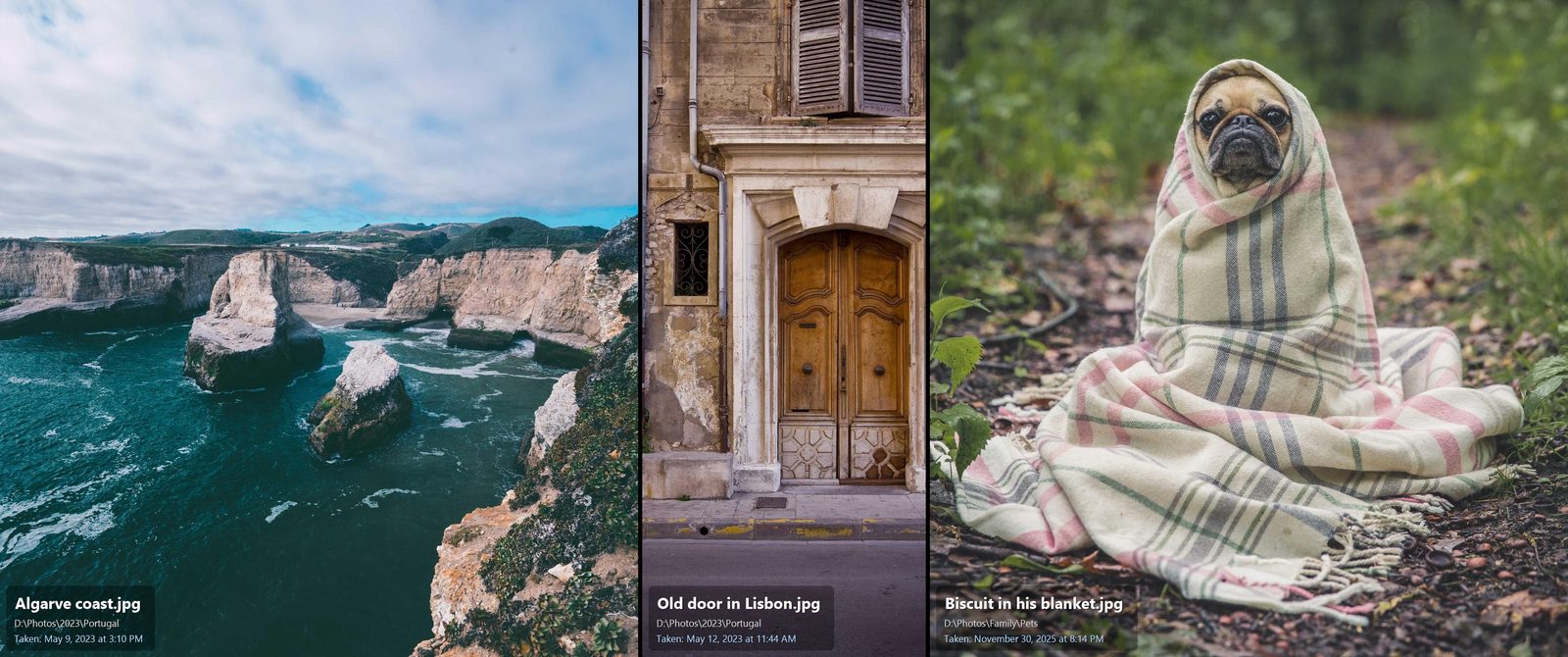
In collage mode Cybersalt Slideshow shows a single row of full-height photos, up to six per screen, your choice. Each photo is sized by its real shape, so a portrait stays tall and narrow and a landscape stays wide, and the row is packed to fill the width exactly.
- Crop to fill: no black bars at all; a little of each photo may be trimmed at the sides. Portraits are trimmed from the bottom, never the top, so heads stay in frame.
- Show whole photos: every photo shown complete, with thin bars where the shapes don't line up.
One photo at a time, if you prefer
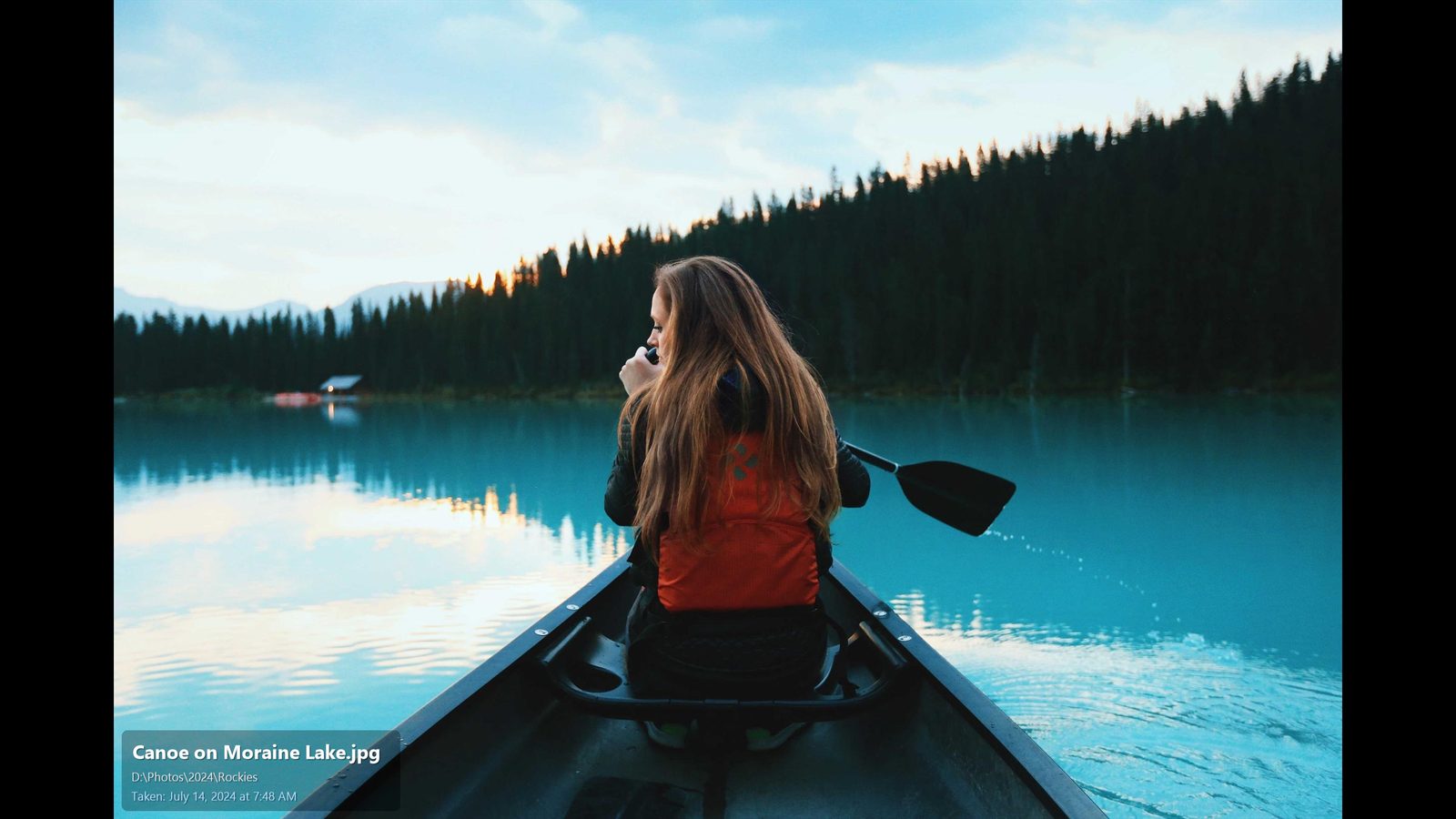
Single mode shows one photo per screen, letterboxed on black, with the same captions, motion and crossfades. It suits standard 16:9 screens and big TVs.
Every monitor gets its own photos
With two, three or more monitors, each screen picks its own random photos and changes on its own timer. Mixed setups work too, like an ultrawide next to a portrait monitor: each screen is laid out for its own shape.
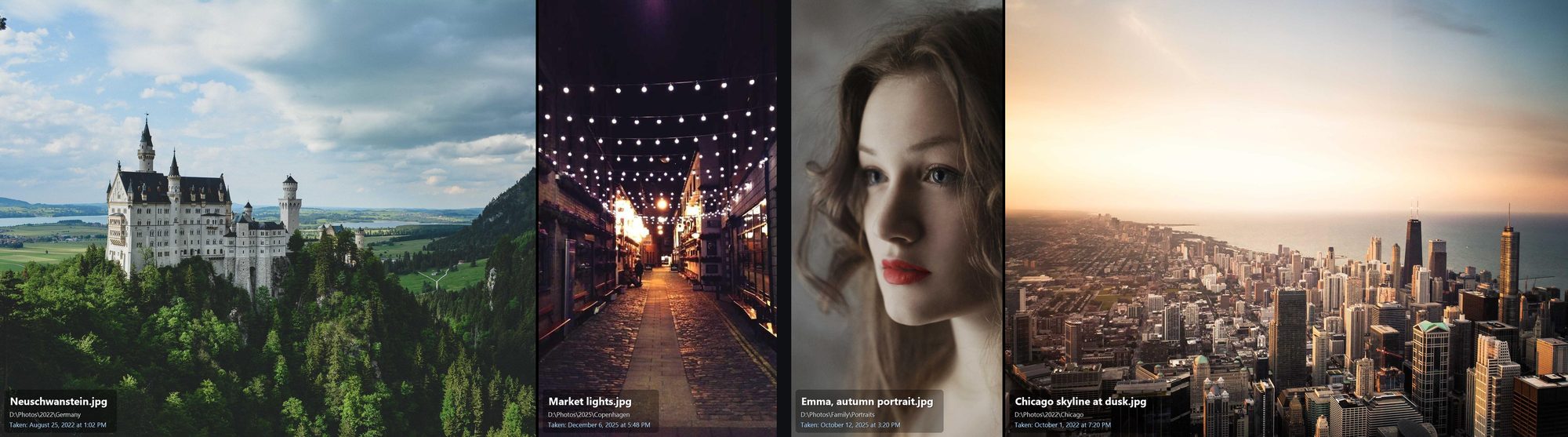
Captions: name, folder and date taken
Each photo can carry a small caption with any of:
- the file name,
- the folder it's in,
- the date the photo was taken, read from the camera's own record (EXIF). Photos without one show the file's date instead.
Each line has its own text size and can be switched on or off. Put the caption in any of six positions (top or bottom; left, centre or right) or turn it off.
Motion and transitions
The Ken Burns effect slowly pans and zooms across the photos so the screen never looks frozen, and crossfades blend one set of photos into the next. Choose how many seconds each photo or row stays up. Both effects can be switched off.
Click a photo to open its folder
Turn on click-to-open and the screensaver becomes a browsable photo wall: the pointer stays visible, moving the mouse doesn't close it, and clicking a photo closes the screensaver and opens its folder in File Explorer with that file selected. Press any key to leave as usual. It's a quick way to find and tidy pictures you'd forgotten about.
Your folders, your rules
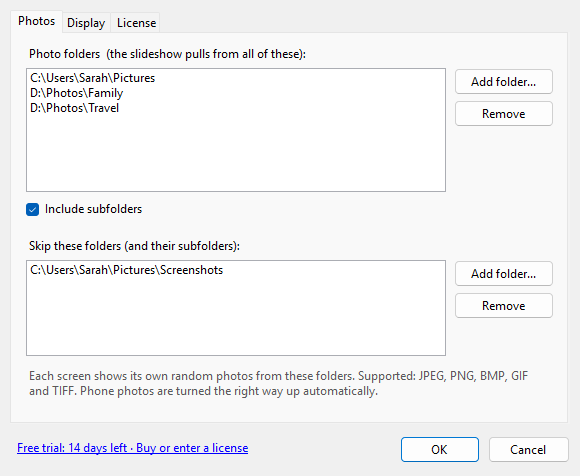
Add as many photo folders as you like, from any drive, with or without their subfolders. Then list folders to skip, such as Screenshots or scanned documents. Duplicates across overlapping folders are shown only once.
Supported: JPEG, PNG, BMP, GIF and TIFF. Phone photos are rotated the right way up automatically, and damaged files are skipped.
Light, native and private
- A real Windows screensaver (.scr) that appears in Windows' own Screen Saver settings and starts when your PC is idle.
- Under 200 KB, built on the .NET Framework that comes with Windows 10 and 11. Nothing else to install.
- No internet connection, no account, no ads, no tracking. Your photos stay on your PC.
- High-DPI aware, so text stays sharp on 4K and scaled displays.
