
Photo screensaver for Windows 10 and 11
Your photos, edge to edge on ultrawide and multi-monitor PCs
Cybersalt Slideshow turns your idle screens into a wall of your own photos. On a wide monitor it lays out a row of full-height pictures instead of one photo with big black bars, and every monitor gets its own pictures.
Download the free trial Buy a license from $14.99
14 days free with every feature. One-time payment, no subscription. No account, no ads, and your photos never leave your PC.
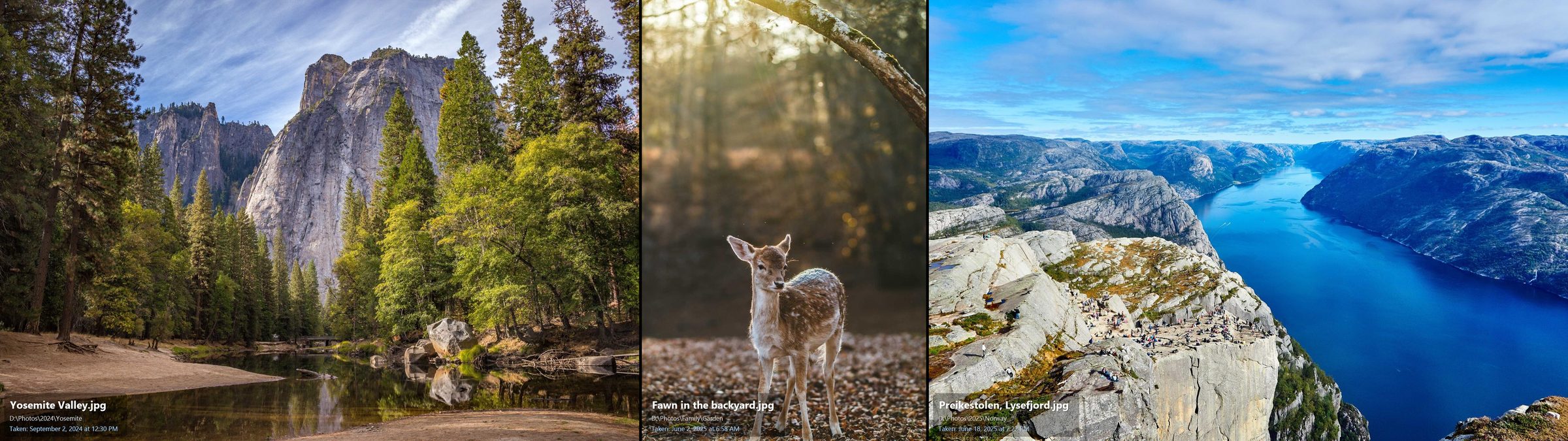
Built for wide screens
A normal slideshow screensaver puts one photo in the middle of the screen. On a 21:9 or 32:9 monitor that leaves half the screen black. Cybersalt Slideshow's collage mode picks a few photos, sizes each one by its real shape and packs them into one full-height row that fills the whole width. Nothing is cut off at the bottom, and faces at the top of portrait shots stay in frame.
Every monitor, its own photos
Two or three screens? Each one picks its own random photos on its own timer, so you never see the same picture twice across the desk.
Ken Burns motion
A slow pan and zoom keeps the pictures alive, with smooth crossfades between them.
Captions you choose
Show the file name, the folder and the date the photo was taken, each at its own size, in any corner or not at all.
Click to find a photo
See a picture you want? Click it and its folder opens in File Explorer with the file selected. Handy for sorting a big photo library.
All your folders
Pull from several folders and their subfolders at once, and skip the ones you don't want, like screenshots or work scans.
Small, fast and private
A native Windows screensaver under 200 KB. No internet connection, no account, no tracking. Phone photos are turned the right way up automatically.
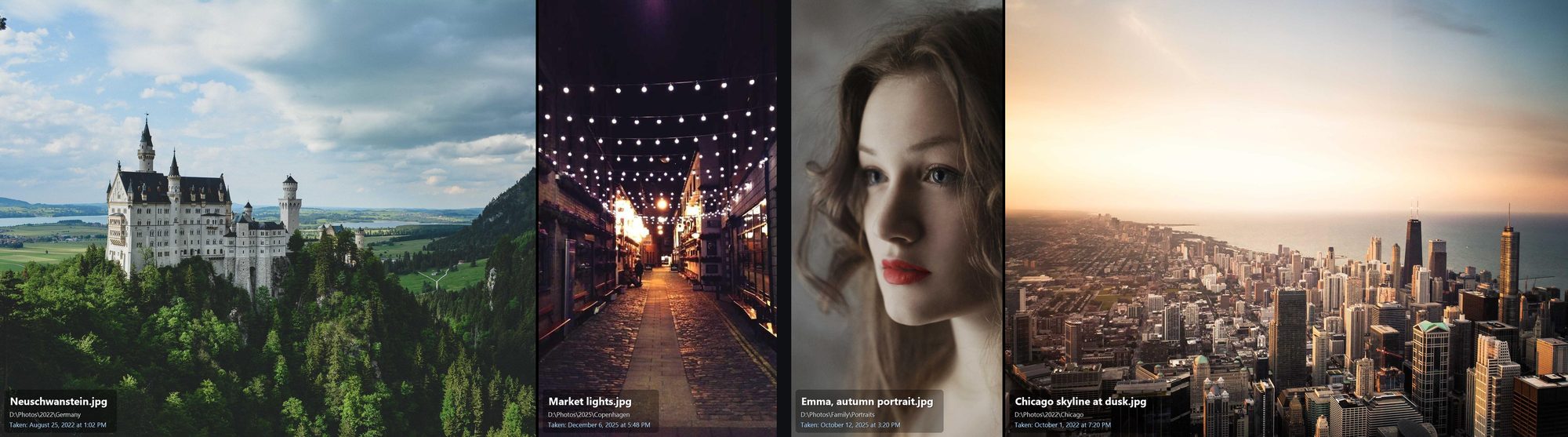
How it works
- Download and install. The installer adds Cybersalt Slideshow to Windows' Screen Saver list.
- Pick your photo folders. Choose where your pictures live, how many photos per screen, captions and motion.
- Walk away. When your PC is idle, your photos take over every screen. Move the mouse or press a key to come back.
Simple pricing
Free trial
$0
- Every feature for 14 days
- After that it keeps working, with a small "Unlicensed copy" badge in the corner
Personal license
$14.99 one time
- One person, all of your own PCs
- No badge, every 1.x update
Household license
$24.99 one time
- Everyone in one home, every PC
- No badge, every 1.x update
Prices in US dollars. Pay with PayPal or a card. If it isn't right for you, ask for a refund within 30 days.
Questions
Which versions of Windows does it work on?
Windows 10 and Windows 11, on any screen size and any number of monitors. It uses the .NET Framework that's already part of Windows, so there's nothing else to install.
Does it upload my photos anywhere?
No. It reads pictures from the folders you choose and shows them on your screen. It never connects to the internet, and there's no account to sign in to.
What happens when the trial ends?
Nothing breaks. The screensaver keeps working with every feature, and a small "Unlicensed copy" badge appears in a corner. Enter a license key and the badge goes away.
Is it a subscription?
No. You pay once and the license is yours, including every update in version 1.
Can I use it on my laptop and my desktop?
Yes. A Personal license covers every Windows PC you use yourself. A Household license covers everyone in your home.
Which photo types does it show?
JPEG, PNG, BMP, GIF and TIFF, including photos straight from your phone. Files that can't be opened are skipped.
